 +
+
Bring your QuickBooks Online data into CashBooks — automatically. Easy QuickBooks Online Integration. No manual exports, no double entry, no errors.
With our QuickBooks Online integration, your finance team saves hours every week — and your books stay accurate without anyone touching them.
Customer and vendor records are synced from QuickBooks to CashBooks when you click the Import button, keeping your contacts up to date.
Invoices are synced from QuickBooks to CashBooks when you click the Import button, keeping your invoice data up to date.
Payments and bank feed transactions come across from QuickBooks, so reconciliation in CashBooks happens as you go, not at month-end.
Expenses recorded in QuickBooks import into CashBooks as categorized transactions — no receipts to re-enter by hand.
Because your QuickBooks data lands in CashBooks automatically, your P&L, balance sheet, and cash flow reports reflect the same real numbers.
Smart duplicate detection means re-running an import never records the same transaction twice — only new and updated records come across.
Bring your QuickBooks data into CashBooks safely and accurately — connect your account, map your chart of accounts, and watch invoices, bills, and transactions import in real time.
Click Link QuickBooks Online and choose what comes over. Your company profile and accounting data are included by default, with payments data available as an optional extra.
Secure one-click link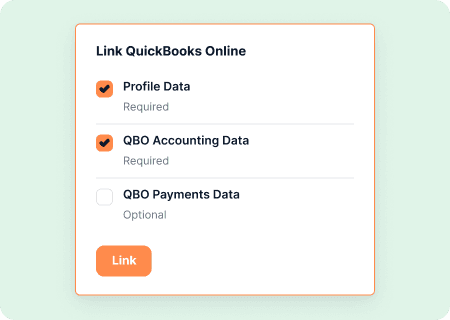
You're redirected to QuickBooks to log in and pick the right company file — even if you manage more than one — so the correct books get connected every time.
Works with multiple companies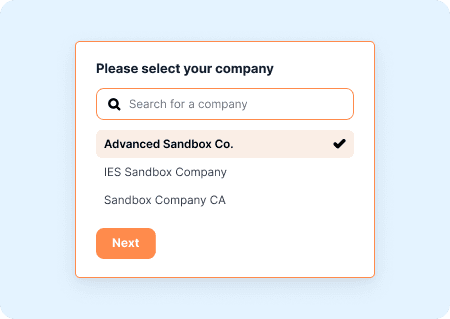
Import your chart of accounts, map key accounts like discounts, shipping, and late fees, then choose whether to bring in your full transaction history or a custom date range.
Full control over what imports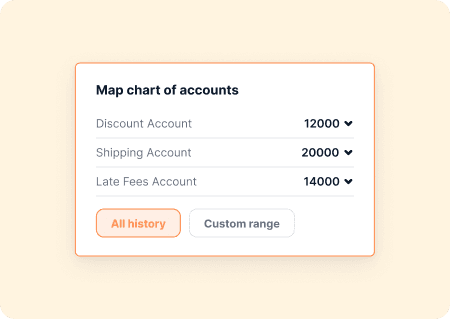
Customers, vendors, invoices, bills, and transactions import in real time, with live progress for every record type — so you always know exactly where your data stands.
Real-time import status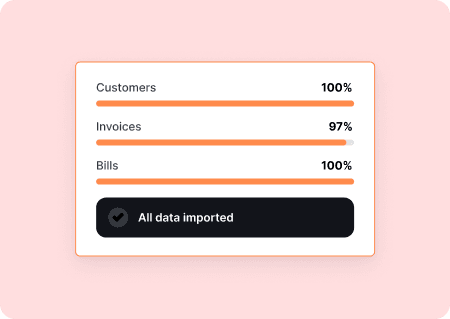
A complete list of what happens when you use QuickBooks Online integration of CashBooks — this helps you know exactly what you're connecting.
Customer and vendor records are synced from QuickBooks to CashBooks when you click the Import button, keeping your contacts up to date.
QuickBooks → CashBooksInvoices from QuickBooks are automatically synced to CashBooks, ensuring your invoice data and payment status stay current.
QuickBooks → CashBooksCashBooks categorizes imported expenses with AI, mapped against the QuickBooks chart of accounts you brought over — no remapping needed.
AI-poweredPayments imported from QuickBooks are automatically matched to the correct invoice in CashBooks, so your receivables stay accurate.
Auto-matchedPull in your books whenever it suits you — no fixed schedule, no waiting. One click, and CashBooks is instantly up to date with QuickBooks.
On demandReal workflows from CashBooks customers who bring their QuickBooks data across

Firms with years of client history in QuickBooks import it into CashBooks, then let AI handle transaction categorization and bank feed reconciliation from there.

Businesses moving to CashBooks for its AI automation bring their existing QuickBooks records over first, so they start with complete books instead of a blank slate.

When day-to-day work has moved to CashBooks but historical books live in QuickBooks, the import keeps every customer, invoice, and transaction in one place for reporting.


Start your free 30-day trial and connect your QuickBooks Online account in minutes. Import customers, invoices, expenses, and transactions automatically.
30-day free trial
Setup in 10 minutes
QuickBooks → CashBooks sync
